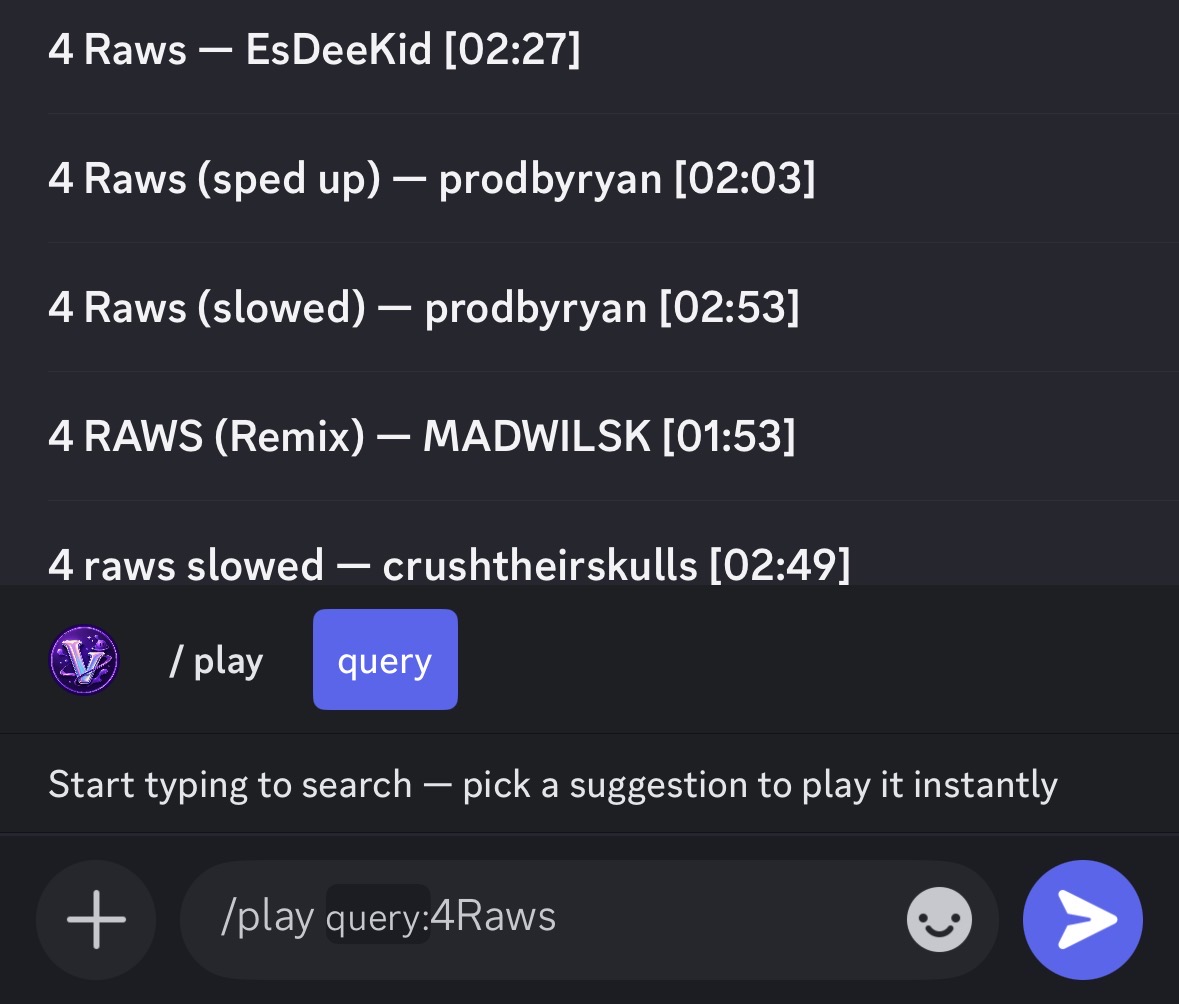
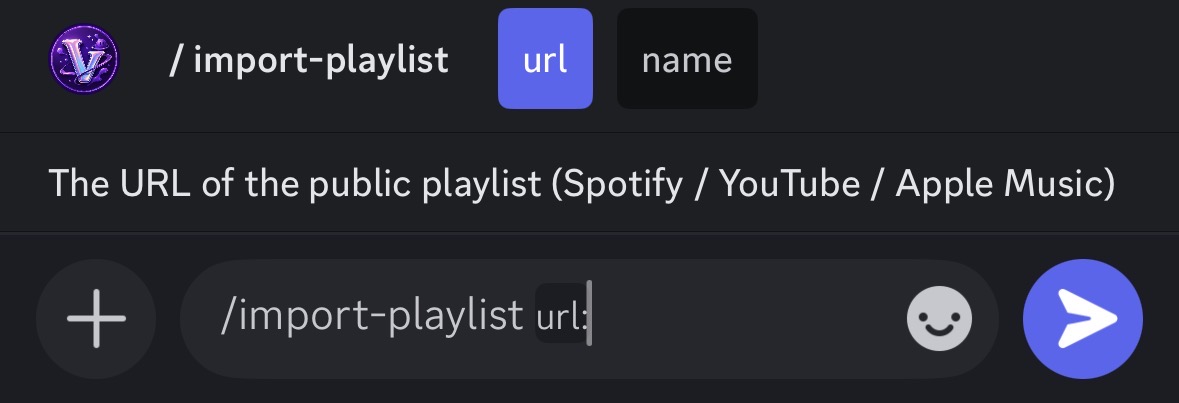
The full slash command list for Vexora Radio v4.0. Music, audio filters, utilities and Premium-only commands — with live autocomplete on /play and one-link playlist import.
/play autocomplete — pick a track instantly from suggestions. Exclusive to Vexora./import-playlist — import public Spotify, YouTube or Apple Music playlists.
Music Commands
Vexora 4.0
Command
Description
/play <query>
Plays music from YouTube, Spotify or SoundCloud by link or title. Opens autocomplete with live suggestions.
/pause
Pauses the current track.
/resume
Resumes playback of a paused track.
/skip
Skips to the next song in the queue. Limit: 3 per hour for free users.
/stop
Stops the music, clears the queue and disconnects the bot.
/queue
Shows the list of upcoming songs in the queue.
/volume <1-100>
Adjusts the playback volume for the current session.
/previous Premium
Plays the track that was played before the current one.
Audio Filters (Premium Only)
Vexora 4.0
Command
Description
/bassboost Premium
Enhances low-frequency sounds for a deeper experience.
/nightcore Premium
Increases the speed and pitch of the current track.
/vaporwave Premium
Applies a slow, distorted, retro-style effect to the audio.
/8d Premium
Creates an immersive, rotating 8D audio experience.
/reverb Premium
Adds an echo effect to the music for more depth.
Utility & Premium
Vexora 4.0
Command
Description
/vote
Open the Top.gg voting page to unlock 24h of Premium access.
/premium
View your current subscription status and account benefits.
/help
Show the full list of commands and support information.
/import <link>
Import a public playlist. Up to 15 tracks free, 500 on Premium.
Want to unlock Premium Commands?
Vote on Top.gg or complete one sponsor task to unlock filters and /previous.